Subflow Loop
A Subflow Loop runs the same subflow once for every item in one or more selected input lists. Inputs not selected as loop fields remain constant across all iterations.
For example, a product-description subflow can loop over a list of products while using the same audience for every run.
Create a loop
There are two supported starting points:
Convert an existing node
Open an eligible node's menu and select Convert to Loop Node. AI-Flow wraps that node in a Subflow Loop, preserves its compatible values and connections, and exposes the original node's inputs as fields that can be selected for iteration.
The example below uses a regular Gemini Image node. The same action is available on other compatible model and processing nodes.
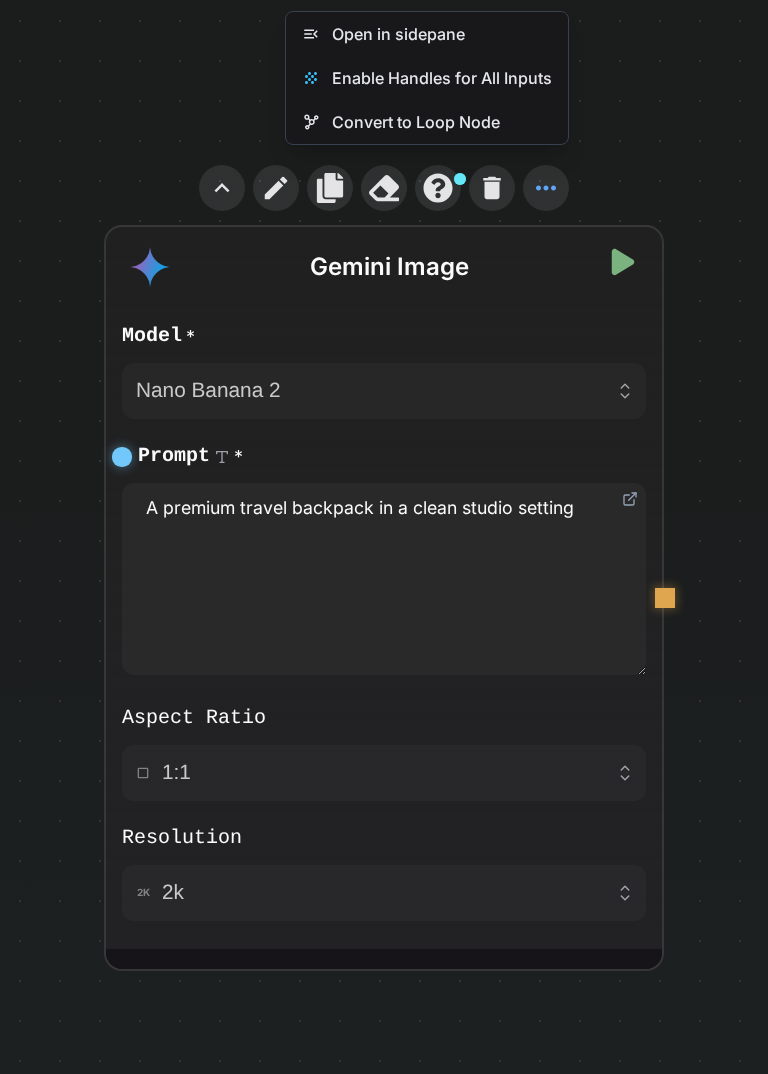
This is the quickest option when you already have a working node and want to batch it.
Select a reusable flow
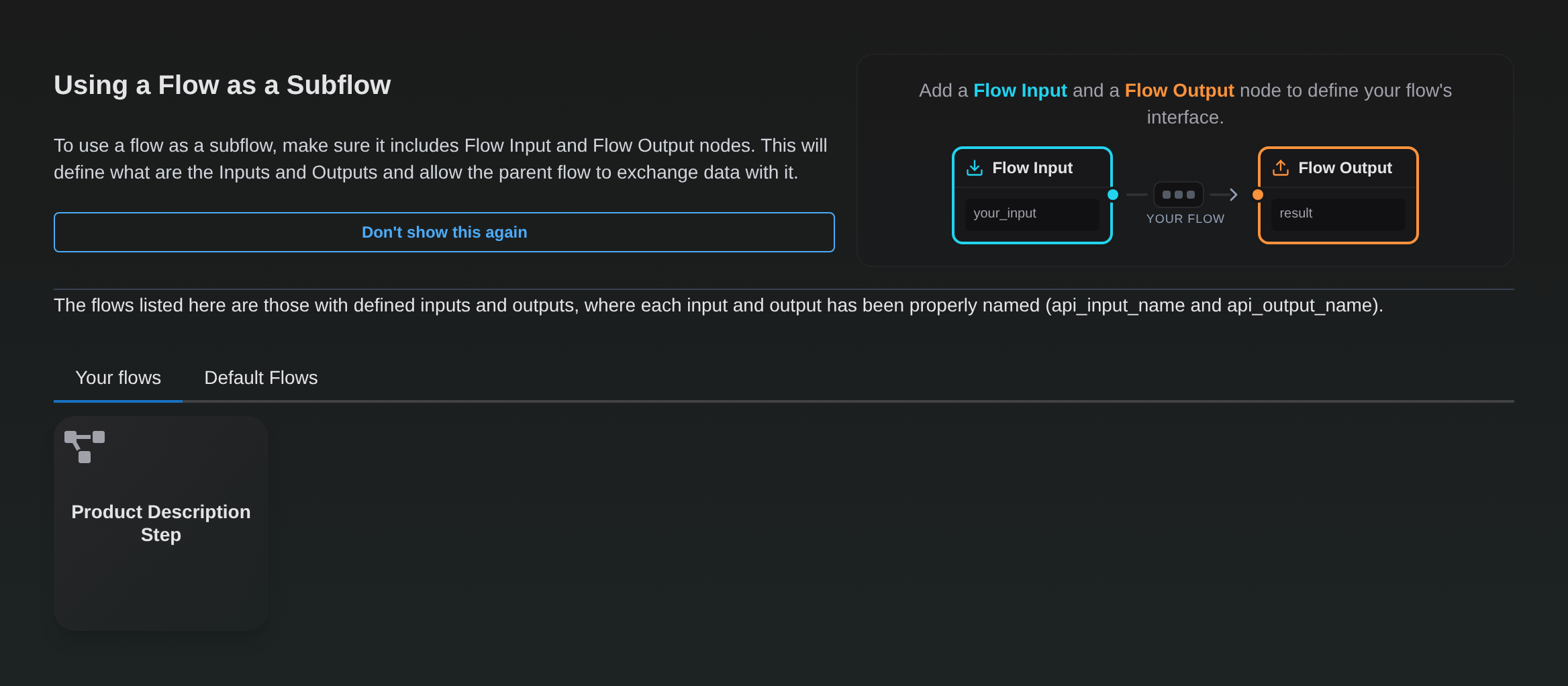
Add a Subflow Loop node, select Select Flow, choose a flow with a valid Flow Input/Flow Output interface, review the preview, and select Validate.
The Subflow Loop uses the same compatible-flow selector as a regular Subflow node:
Choose the fields to loop
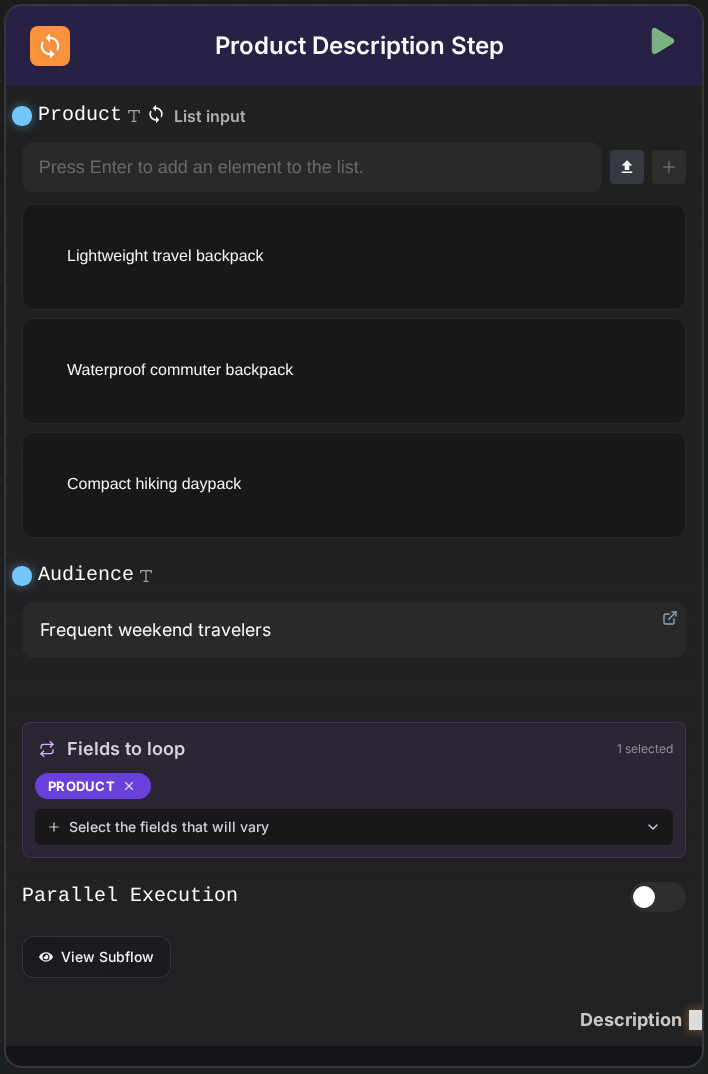
In Fields to loop, select at least one input. Every selected field must receive a list. You can enter list items directly or connect a node that outputs a list, such as List, Data Splitter, or Regex Extractor.
Inputs that are not selected can receive ordinary scalar values; those values are reused for every iteration.
In this example, product receives three list items while audience remains constant:
If you select multiple loop fields:
- every list must have the same length;
- items are matched by index, not combined as a Cartesian product;
- item
0from each list is used for iteration0, item1for iteration1, and so on.
Run and use the outputs
The node runs the embedded subflow once per list item. Each named Flow Output produces a list containing one result per iteration, in input order.
Enable Parallel execution when the iterations are independent and order does not affect the work. Parallelism improves throughput, but it can increase simultaneous provider usage and make rate limits more likely.
AI-Flow enforces an iteration limit based on the account tier. Split very large batches into smaller runs when necessary.
Constraints and troubleshooting
- No fields selected: choose at least one field in Fields to loop.
- Expected a list: a selected field received a scalar value; provide a list or deselect the field.
- Lists have different lengths: make all selected lists the same size.
- Iteration limit exceeded: reduce the batch size.
- Nested loop error: a Subflow Loop cannot contain another Subflow Loop.
Because the node embeds a snapshot, changes to the source flow are applied only when you explicitly reload or edit the subflow. See Subflows for update behavior.