API Nodes
To begin building your API, you will need to use at least one of the following nodes: Flow Input, Flow Output, or Webhook (which will be covered in a later section). These nodes define the structure of your AI workflow's API.
Flow Input Node
The Flow Input Node is used to define the inputs for your API. Each Flow Input Node corresponds to a field in the request body sent to initiate your flow. The field api_input_name sets the name of the input field in the request body.
Example
Consider the following configuration:
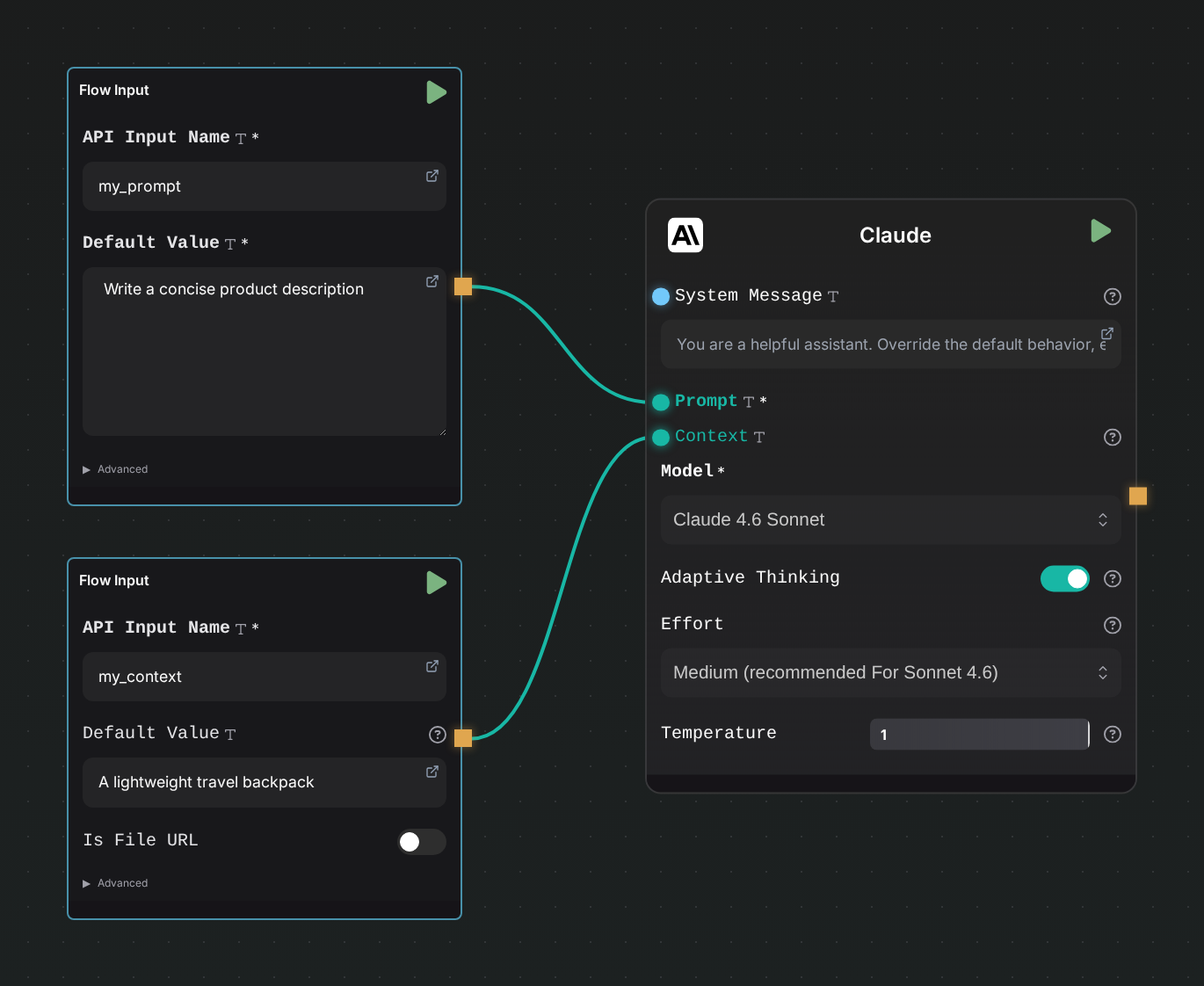
You would send a request body structured as follows:
{
  "my_prompt": "Write a concise product description",
  "my_context": "A lightweight travel backpack"
}
Each Flow Input Node can have a default value. If a default value is set, the parameter becomes optional in the request body.
The Flow Input Node adapts to the type of field it is connected with.
Flow Output Node
The Flow Output Node is straightforward to configure. You only need to set the api_output_name, which will be the name of the field in the final response.
Example
Consider the following configuration:
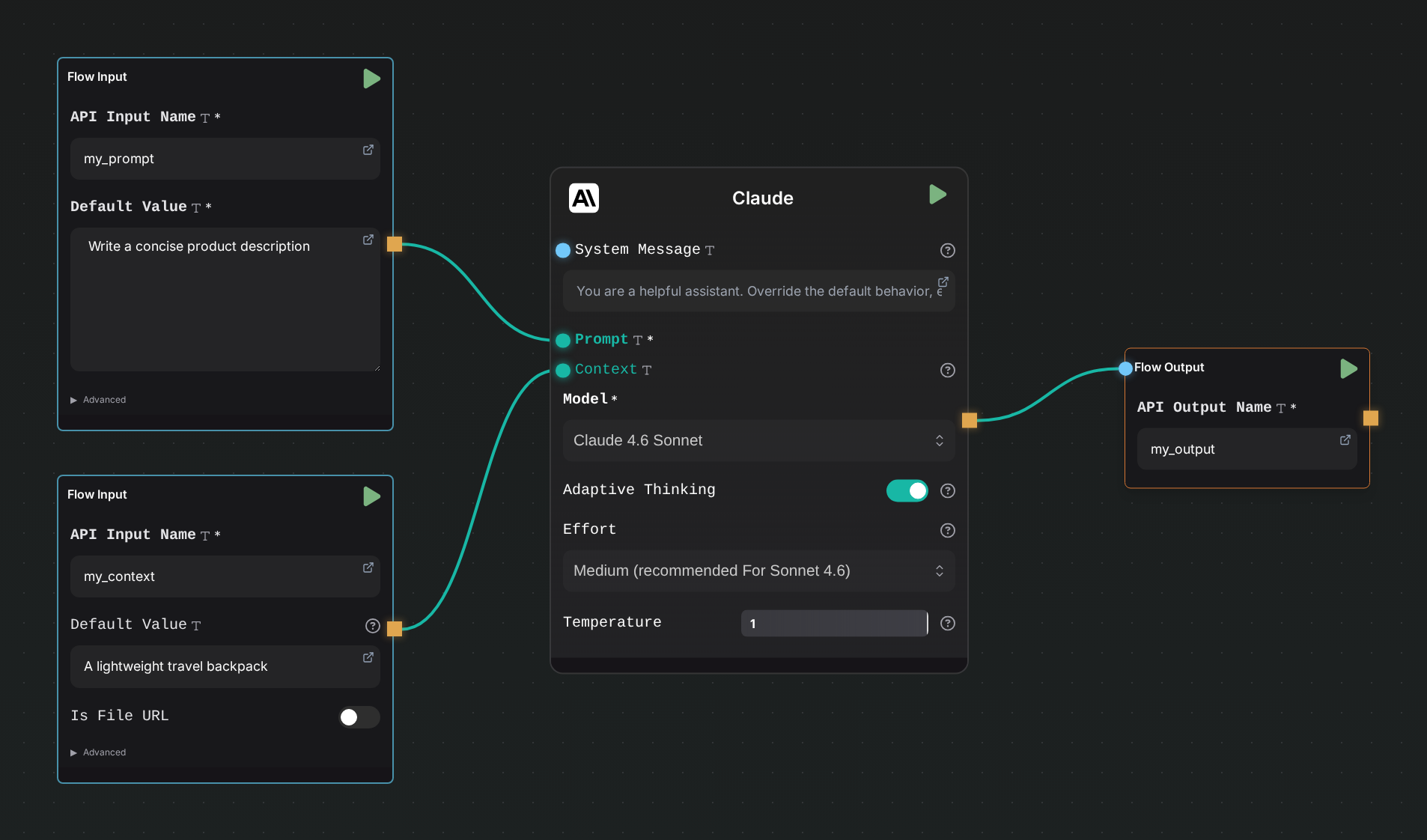
The final response will be structured as follows:
{
  "my_output": "Lorem Ipsum dolor sit amet, consectetur"
}
Handling Outputs
You can set as many Flow Output or Flow Input nodes as needed. The Flow Output Node has an output handle and functions like a transition node in a flow. This means it will pass the output to the next node, allowing you to include intermediate results from your flow in the final response if desired.
Additional Resources
For more detailed information and advanced configurations, refer to the following resources: